8. FuelTech devices on the network
#Connection
FuelTech products with CAN (WB-O2 Nano, Nano PRO, Peak and Hold PRO, PRO Gen2 and HV, FTSpark, Input Expander, EGT-4, SwitchPanel and others) use FTCAN 2.0. Connect them to a port configured in FTCAN 2.0 and turned on. Several products can share the same port, as long as the bus is terminated at both ends.
#CAN Network
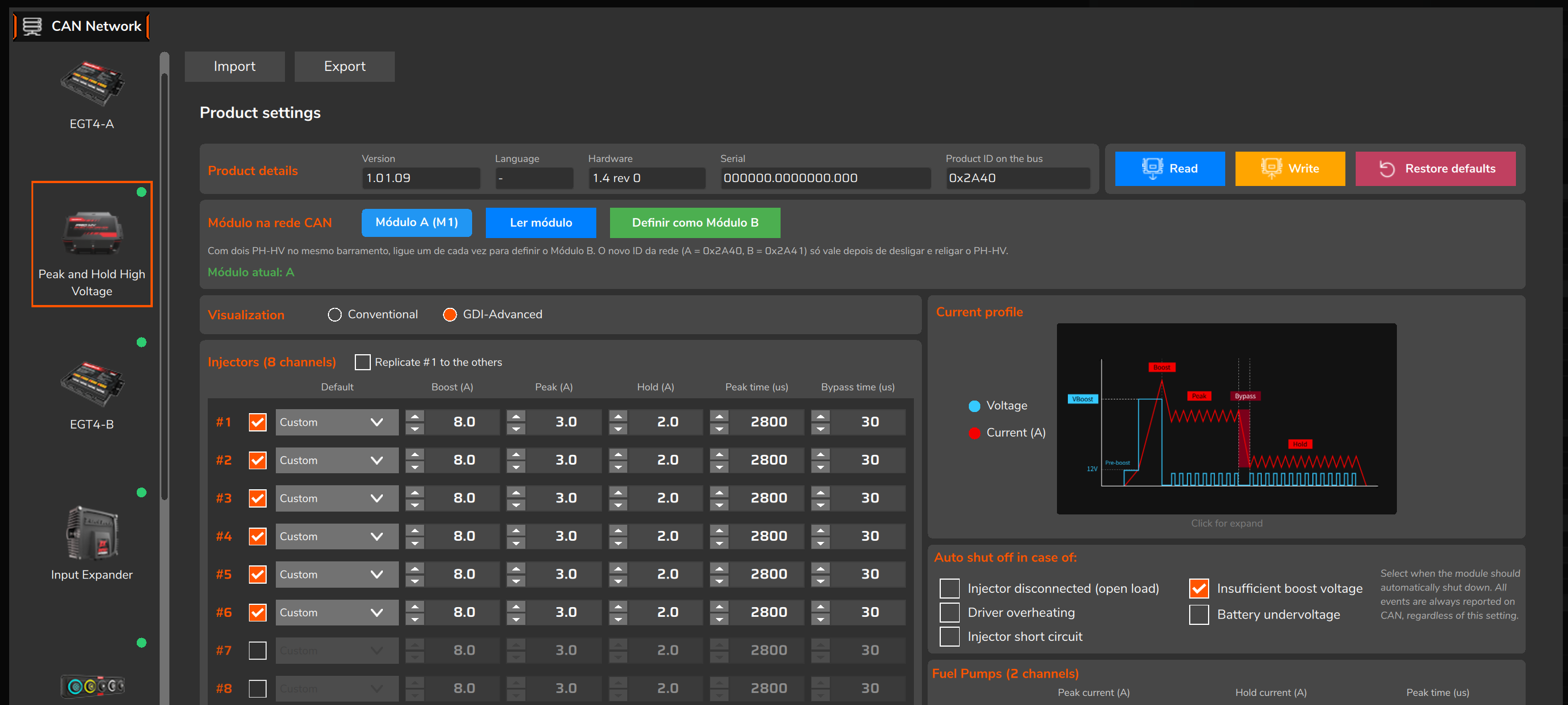
In the desktop software, Tools > CAN Network lists the FuelTech modules found by the VCU, with version, hardware, serial number (Serial) and identification on the network (Product ID on the bus), and opens the settings page of each one. The software repeats the search every second; a newly connected module appears within a few seconds. The VCU reads data from up to 10 FuelTech devices; the FTCAN network list holds up to 16.
#Diagnostics Panel
In the Diagnostics Panel, the CAN ports button opens the CAN area: one column per port (CAN A, CAN B and, on the FT700, CAN C) with the channels that are arriving through it and whether each one is active or stalled. It is the first place to check whether a device is communicating.
#Functions that use a CAN port
Besides Customizable CAN and custom packages, several functions choose a CAN port. The port must be on and in the right mode. OEM, in the table, means original factory equipment.
| Function | Port mode | Notes |
|---|---|---|
| FuelTech devices (O2 sensors, drivers, ignition, expanders) | FTCAN 2.0 | Configured through CAN Network. |
| EGT-4 and SwitchPanel | FTCAN 2.0 | Inputs and buttons assigned in VCU settings. |
| PWC controls (PWC: personal watercraft, such as a jet ski; OEM vehicle) | RAW mode, required | FuelTech Vision warns if the port is off or not in RAW mode. |
| Automatic transmission range selector (OEM Gear lever source) | RAW mode, required | Transmissions with an original electronic lever. |
| PDM CAN | RAW mode, recommended | Power distribution modules (PDM) that use the PDM CAN function protocol, with a configurable base ID. |
| Steering wheel (Motronix) and Racelink | RAW mode, recommended | Steering wheel and Racelink functions in the VCU settings menu, at the equipment's rate. |
| External TCU | RAW mode, recommended | Transmissions with their own control module (TCU, Transmission Control Unit). |
In the functions marked "recommended" the VCU does not check the port mode: configure the port at the equipment's rate and format.